
What is Recovery Mode?
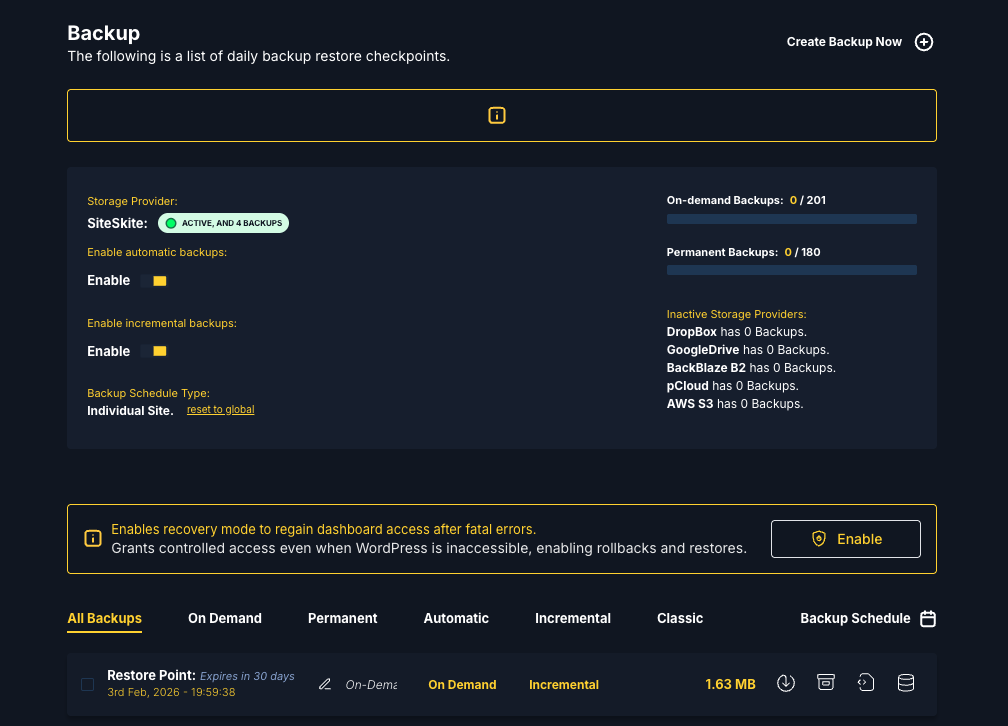
Recovery Mode is a safety mechanism within the SiteSkite ecosystem that allows you to regain access to your WordPress dashboard when a site becomes inaccessible due to fatal errors.
It is designed for situations where WordPress is technically online but unusable, preventing normal administration or automated operations.
Common scenarios include:
A plugin or theme update breaks the site
A PHP syntax error causes a white screen or HTTP 500 error
WordPress admin (
/wp-admin) becomes inaccessibleREST API endpoints stop responding
The site is live but cannot be managed
Recovery Mode creates a temporary, controlled access layer so you can fix the issue without requiring direct server-level access.
Why Recovery Mode Exists
In real-world WordPress environments, failures often create a deadlock:
WordPress admin cannot load
REST API is unreachable
Plugins cannot be disabled
Automated tools stop working
Hosting panels, SSH, or FTP access may not be available
Without Recovery Mode, users are often forced to:
Contact hosting support
Restore full-site backups blindly
Edit files or databases manually
Accept prolonged downtime
Recovery Mode breaks this deadlock by restoring minimal, safe access first—allowing you to recover the site properly instead of guessing.
When Should You Use Recovery Mode?
Use Recovery Mode when any of the following occur:
After a plugin or theme update, the site shows a blank page or error
WordPress admin (
/wp-admin) is inaccessibleREST API health checks fail
A code change or deployment causes a fatal error
The site disconnects from the SiteSkite portal unexpectedly
Recovery Mode is not required for normal updates, backups, or restores when the site is healthy.
What Recovery Mode Does (and Does Not Do)
What It Does
Restores temporary dashboard-level access
Keeps a minimal communication channel alive
Allows SiteSkite to reconnect to the site
Enables controlled recovery actions from the portal
Prevents further damage while troubleshooting
What It Does Not Do
Automatically restore backups on its own
Permanently change your site configuration
Bypass WordPress user permissions
Fix hosting-level issues (server down, PHP not running)
Recovery Mode is a bridge, not the fix itself.
What You Can Do While Recovery Mode Is Enabled
Once Recovery Mode is active, you can safely perform recovery actions from the SiteSkite Portal, including:
Disable problematic plugins or themes
Rollback recently updated plugins or themes
Revert code changes
Restore from a previous backup
Reconnect the site to the SiteSkite portal
Bring the site back to a stable state
After recovery, Recovery Mode can be disabled manually or automatically once the site stabilizes.
How Recovery Mode Works (High-Level)
You enable Recovery Mode from the SiteSkite portal
A lightweight recovery layer activates on the site
Limited but stable access is restored
You perform rollback or restore actions
Recovery Mode is disabled once the site is healthy
This design ensures maximum safety with minimal disruption.
Benefits of Recovery Mode
Prevents prolonged downtime
Eliminates emergency hosting support dependency
Reduces reliance on FTP, SSH, or database access
Enables faster incident resolution
Safer than blind restores
Ideal for agencies managing multiple sites
Recovery Mode is especially valuable for production websites where downtime directly impacts business.
Security and Safety Considerations
Recovery Mode is time-limited and controlled
Only authorized SiteSkite actions are allowed
Normal site behavior resumes after recovery
Recovery actions can be logged for auditing
No permanent security changes are introduced
Recovery Mode is designed to fix failures, not introduce risk.
Best Practices
Use Recovery Mode on staging sites first when possible
Perform a health check after exiting recovery
Keep recent backups available for fast rollback
Avoid making multiple changes at once during recovery
Disable Recovery Mode immediately after stabilization
Does Recovery Mode affect visitors?
During recovery, the site may be temporarily limited or unavailable to prevent further errors.
Can I use Recovery Mode without backups?
Yes. You can still disable plugins or revert code manually. Backups are recommended but not mandatory.
Is Recovery Mode permanent?
No. It is temporary and should be disabled once recovery is complete.
Will this work if my hosting server is down?
No. Recovery Mode requires PHP and filesystem access to be operational.
SiteSkite Recovery Mode is a fail-safe feature designed to restore access first, so you can fix the problem properly.
It protects you from:
Fatal errors
Broken updates
Locked dashboards
Emergency downtime scenarios
Recovery Mode ensures that a broken WordPress site is never a dead end.