
SiteSkite now includes built-in vulnerability detection for WordPress Core, Themes, and Plugins. This feature works automatically in the background—no configuration required—and provides real-time safety insights powered by multiple trusted vulnerability databases.
Whether you update a plugin manually, perform a Smart Engine bulk update, or run a site health check, SiteSkite automatically identifies known security risks and alerts you instantly.
How Vulnerability Detection Works
SiteSkite continuously monitors your site’s components using multiple industry-trusted data sources, such as:
Wordfence Thread Inteligence Database
Patchstack Vulnerability Database
WPScan
CVE & NVD feeds
Vendor-reported security disclosures
Additional curated sources integrated by SiteSkite
These sources help detect vulnerabilities for:
WordPress Core
Installed Themes
Installed Plugins
Each time SiteSkite interacts with your website, it retrieves the latest version data and automatically checks for any known security risks.
Zero Setup Required — Works Seamlessly
There is no configuration, no keys, and no settings to enable.
Vulnerability detection is:
Fully automatic
Built into the SiteSkite Plugin
Integrated with Smart Engine
Available for every linked site
Updated continuously in the background
Once your site is connected to SiteSkite, detection begins immediately.
Where Vulnerabilities Appear in SiteSkite
SiteSkite highlights vulnerabilities directly inside your workflows:
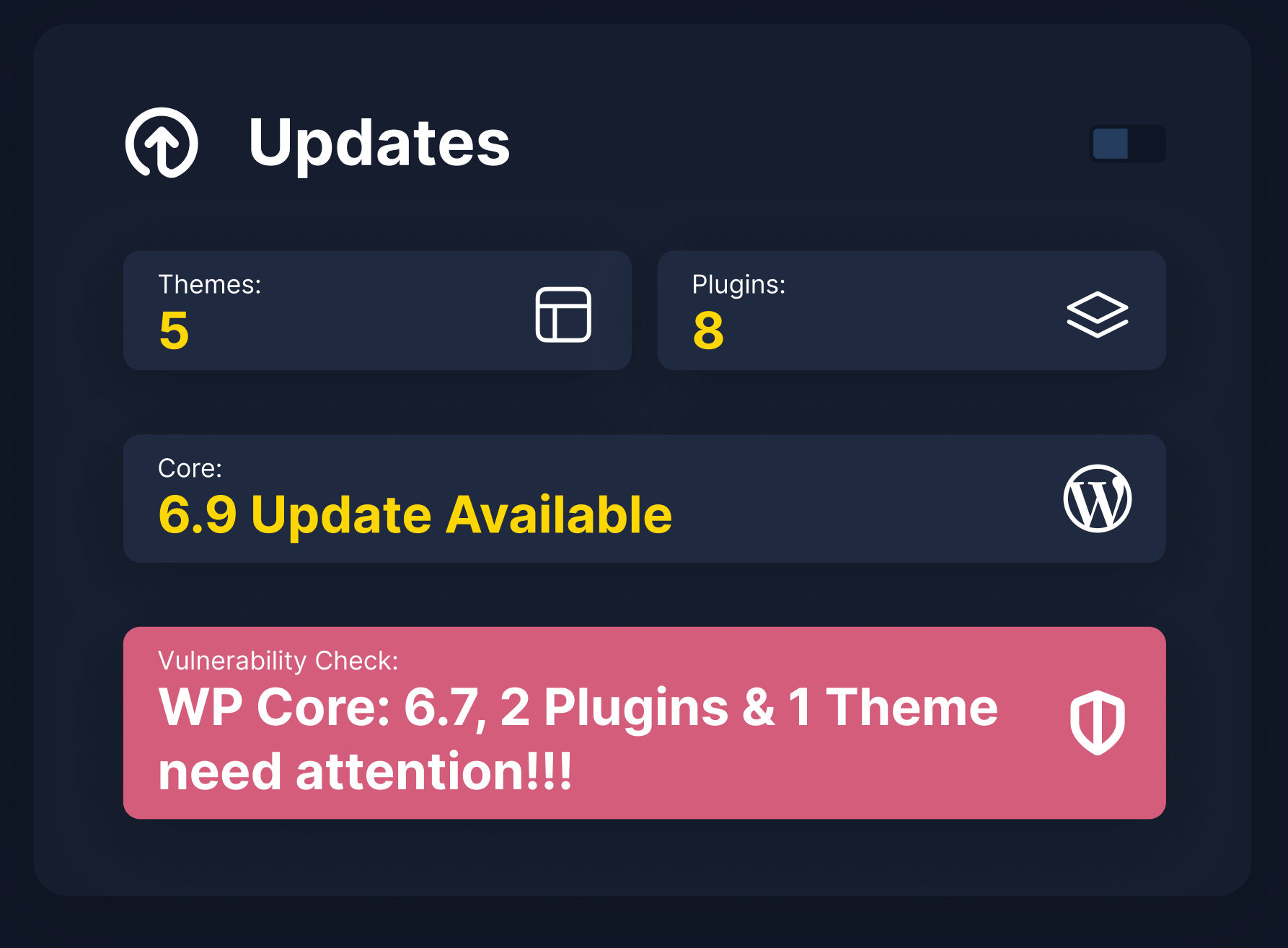
1. WP Canvas → Updates Widget
2. Plugin & Theme Update Screens
Before updating, SiteSkite shows:
Whether the installed version contains vulnerabilities
Whether an update fixes them
Smart Engine safety recommendations
3. Smart Engine Bulk Operations
Smart Engine uses vulnerability data to decide:
Allow update
Defer update
Block unsafe updates
Recommend manual review
4. Reports & Activity Logs
Future-proofed for downloadable reports that show:
Vulnerabilities found
Plugins affected
Remediation actions
Why Vulnerability Detection Matters
Improved Security Posture
Instant awareness of harmful versions reduces breach risk.
Safer Updates
Smart Engine uses vulnerability data before running updates.
Agency-Friendly Risk Management
Quickly scan dozens or hundreds of linked sites for issues.
No Extra Plugins Required
SiteSkite handles everything — no separate security plugin needed.
Examples of Detection
SiteSkite may show:
“Critical vulnerability detected in Plugin X – Update Recommended.”
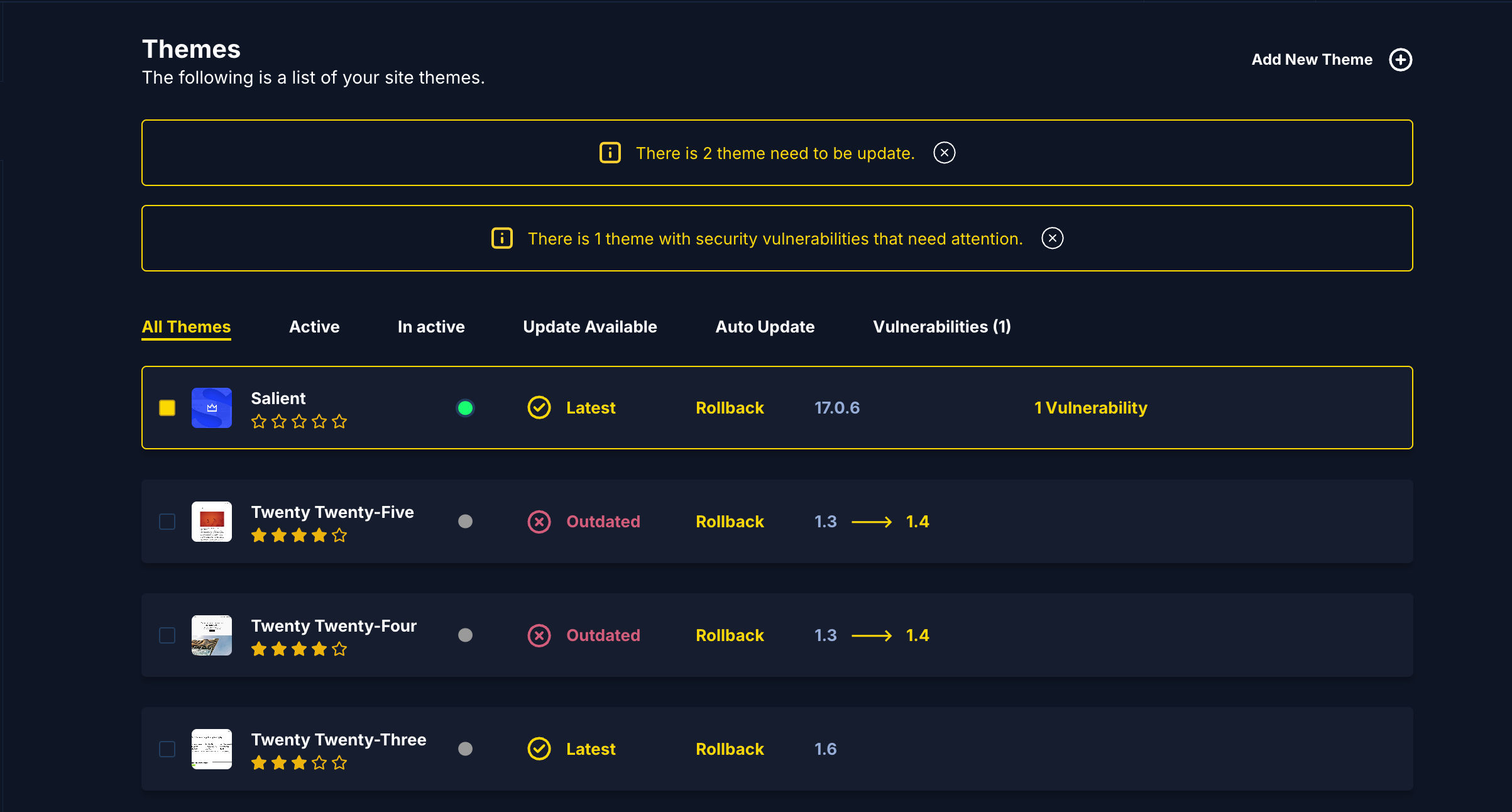
“Theme Y contains 2 known vulnerabilities.”
“Smart Engine skipped update due to incompatible vulnerable version.”
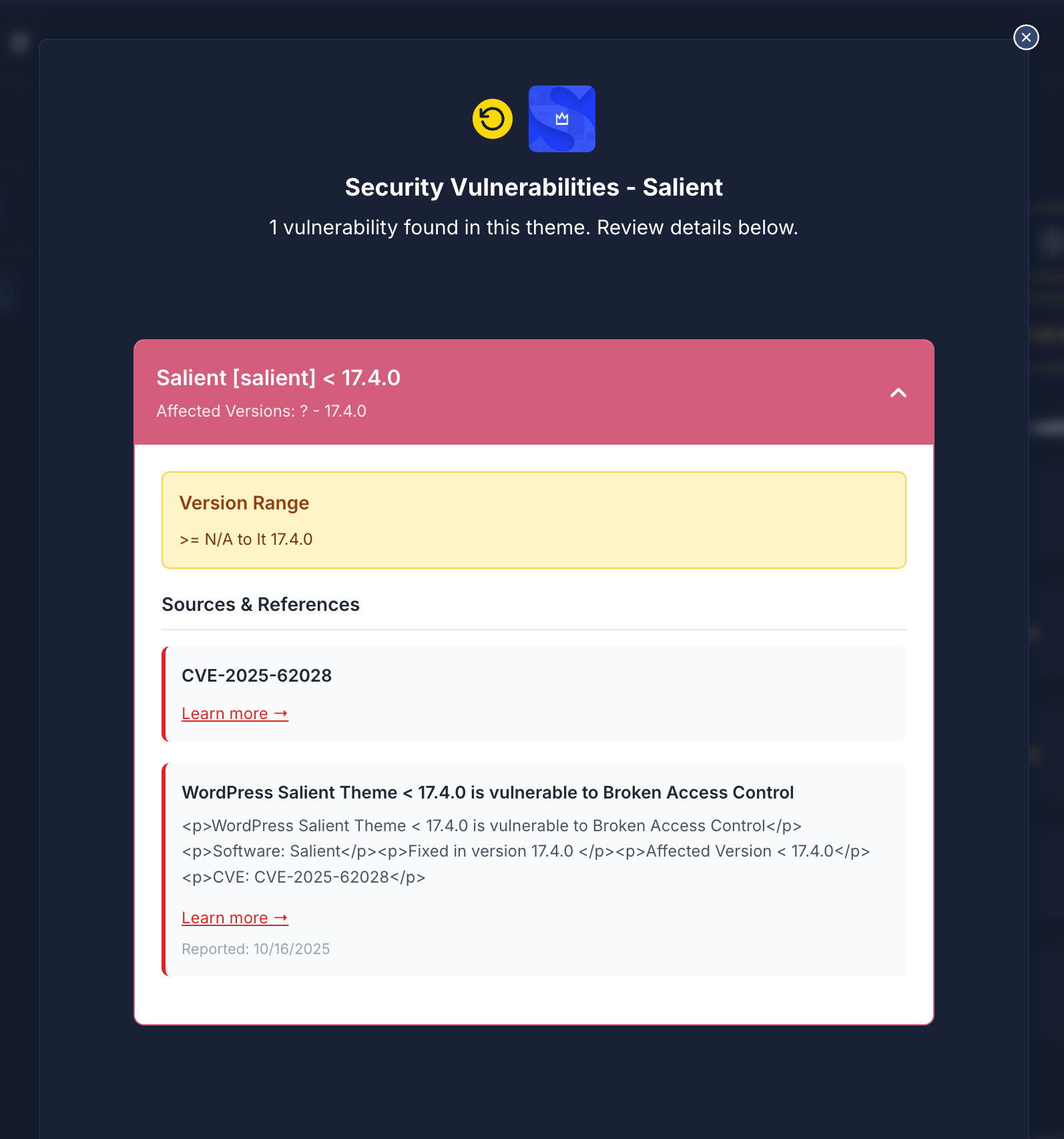
“This plugin update resolves 1 vulnerability (CVE-2024-XXXX).”
Nothing to Do — Just Use SiteSkite as Normal
Simply connect your website, and vulnerability detection automatically detects during:
Updates
Maintenance
Monitoring
Plugin/theme management
Smart Engine bulk operations
There are no settings to enable and no learning curve.